Final Graphic Collage
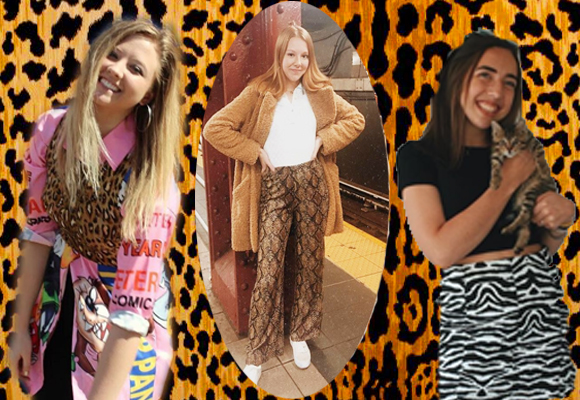
I have posted my final graphic collage above. My graphic collage features three photos of some of my fellow classmates. I selected these 3 photos because they all featured classmates with a great sense of style.
Originally in my draft I featured 3 pictures with a background of some leaves. I have made some changes regarding the content of my photos I chose. I removed and changed one of the photos to make a more collective theme with the outfits in the collage. All of the photos of students featured are wearing animal print clothing. I removed and changed a photo of one of my classmates so that she was wearing animal print as well. I also changed the background image to match the theme of outfits.
One of my classmates suggested I updated the coloring of the photos, so I adjusted the brightness and contrast etc., so that the photos could match the others. I used the hue/ saturation tool as well at the brightness tool with layer masks to make the images look similar.
I as well played around with the shape of some of the photos, giving the center photo a circular shape to create more motion in the collage.
I cropped some of the photos to make them focus on the outfits some more. I used the quick select tool to select the two images in order to remove their background. I thought that this was a great way to bring images into the background.
I added a stock image of an animal print background to bring in the theme of the outfits above.
Another way that I improved this collage was by writing text with an explanation below it. I added this because I failed to do so on the draft. I think this explains to the reader why I selected these photos and why I did what I did with my collage.
Animal background: https://www.fabricmill.com/braemore-jamil-natural-leopard-print-velvet.html
 Julia's Blog